|
|
Hi Xmindist,
A fresh season calls for a fresh way to think.
Over the past few months, we’ve refreshed Xmind across desktop and Android, with a more native visual experience and more capable ways to organize, create, and shape your ideas. Here’s what’s new. |
|
|
|
|
Feel at Home, Wherever You Are |
Feel at Home, Wherever You Are |
|
|
Softer, Clearer, and More Native |
|
Softer controls and more open layouts make Xmind feel calmer, clearer, and easier to focus on, across Mac and Windows. |
|
Download to Explore → |
|
|
|
|
|
|
|
Softer, Clearer, and More Native |
|
Softer controls and more open layouts make Xmind feel calmer, clearer, and easier to focus on, across Mac and Windows. |
|
Download to Explore → |
|
|
|
Fully Redesigned, From the Ground Up |
|
Rebuilt with Material Design 3, Xmind for Android now feels smoother and more natural across phones, tablets, and foldables. |
|
Download to Explore → |
|
|
|
|
|
|
|
Fully Redesigned, From the Ground Up |
|
Rebuilt with Material Design 3, Xmind for Android now feels smoother and more natural across phones, tablets, and foldables. |
|
Download to Explore → |
|
|
|
More Capable, Better Workflow |
More Capable,
Better Workflow |
|
|
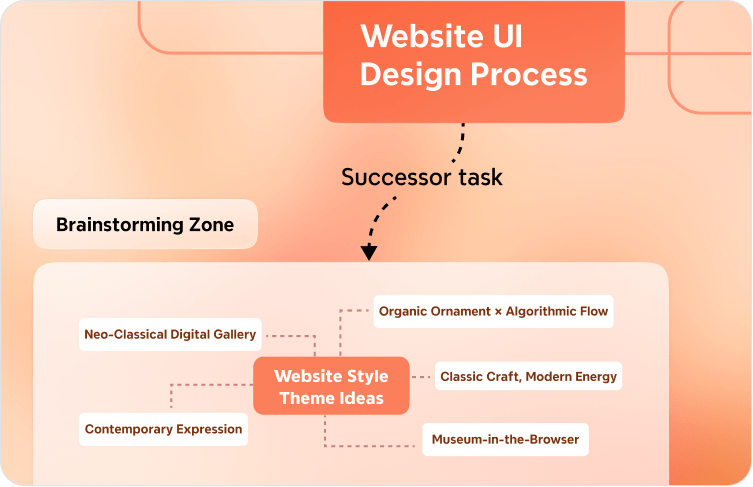
More Flexible Zones, More Expressive |
Zones can now connect, expand with content, and be styled freely, helping your map capture richer relationships and fuller thinking. |
Try Now → |
|
|
Edit and Organize in a Linear Flow |
Outliner on Xmind web turns any map into a clean linear view, making it easier to browse, edit, restructure, and refine your thinking. |
Try Now → |
|
|
Edit and Organize in a Linear Flow |
Outliner on Xmind web turns any map into a clean linear view, making it easier to browse, edit, restructure, and refine your thinking. |
Try Now → |
|
|
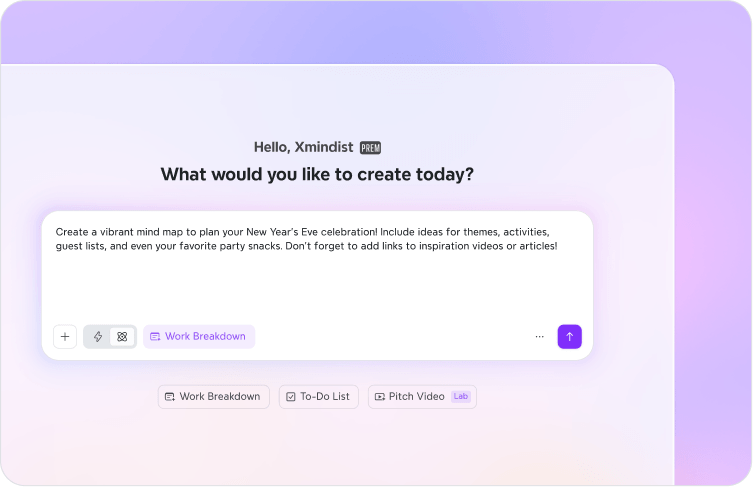
Start Creating Faster, All in One Place |
Xmind AI on the web now has a dedicated workspace with templates, modes, and credits in view, helping you turn a spark into a mind map faster. |
Try Now → |
|
|
|
|
⭐️
We’ve always believed design is not a choice between native and consistent. With this update, we hope Xmind feels a little more at home in your daily work, from your first idea to the shape it takes.
The Xmind Team
|
| Explore Now |
|
|
|